
- Catalogs
- Retrotouch
- Intellegent Audio System

Intellegent Audio System
1 /2Pages

Intellegent Audio System
1 /2Pages
Catalog excerpts
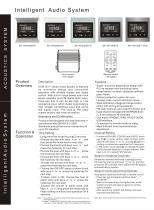
Intelligent Audio System Host control IVOR Hi-Fi stereo Audio System is featured by innovative design and convenient operation with infrared remote and digital control. With built-in large power dual track stereo amplifier and FM digital radio tuner, three-way line in can be set High or Low resistance input, which meets long distance high voltage transmitting input and active low signal input. The built-in FM radio system obtains real-time information. Products are designed and manufactured in Standards and performance indexes are all Time Setting_ • Long press the mode Key W/iM 2 seconds. • Choose the day with keys A or v , and then press the mode key for next step. • Choose the month with keys A or v , and press the mode key for next step. • Choose the year with keys A or v , press the mode key for next step. • Choose the hour with keys A or v , press the mode key for next step. • Choose the minute with keys A or v , press the mode key for next step. • Choose the ON/OFF status of alarm clock with keys A or v .press the mode key for next step. • If alarm clock is ON, choose the hour of alarm clock with keys A or v .press the mode key for next step. • Choose the minute of alarm clock with keys A or v Jong press the mode key to finish setting or without any operation for 8 Note: 1 .Time setting is invalid on state of FM channel selection or audio channel changing. 2.In step 7, if choose OFF status of alarm clock, just long press the mode key to finish setting or without any operation for 8 seconds. Remote control • Super-luxurious appearance design with PC fire resistant and insulating frame, metal frame or scratch-resistant synthetic glass frame. • Perfect protection system for over- heating, over-current and short circuit. • Wide operating voltage and large output power with strong drive capacity. • FM radio channel auto-search function and huge channel storage with EEPROM built- • Can match IPHONE, IPAD, IPOD TOUCH, • Convenient to transfer audio or video. • Meet different tone requirements by Channel Setting_ • In mode of IPHONE, CD/DVD and AUDIO, touch key 'Q'/if to enter setting state, choose audio channel with keys A or v. Touch^/iiagain to confirm or without any operation for12 seconds. • In FM mode, touch keytS/ii to change the state of FM channel selection or audio channel. With keys A or V to select FM channels. Steps for Deleting Channels_ Delete the channels with keys in remote control. Choose the channel with keys @ or @ ,and then press key to delete. Next channel will be played Steps for Auto-searching channels Auto-search channels with keys in remote control • Press key Q and panel will show state "—" • Wait for the searching. During the time, audio system is silent and keys on panel or remote control disable. • After searching, system will display and save channels and then play. Note: New audio system must be auto-s
Open the catalog to page 1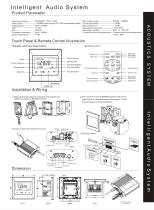
Intelligent Audio System Product Parameter Input signal-----------<2VRMS sound signal OR 100V broadcasting effect Treble adjustment-------------± 12DB Frequency response----20Hz ~20KHz Transport and store temperature--Transport and store temperature Touch Panel & Remote Control Illustration Audio channel - Alarm clock- Installation & Wiring Channel display Volume display Volume down Remote control Previous channel Previous song
Open the catalog to page 2All Retrotouch catalogs and technical brochures
 INTELLIGENT DIMMER MODULE
2 Pages
 Lithe Audio Price list
2 Pages
 Retrotouch Trade Price list
9 Pages


Archived catalogs
 ES2000 Hotel card key
2 Pages
 AC2300
2 Pages
 T2000 Mental Touch
2 Pages
 AP2300
2 Pages
 Electronic thermostat
2 Pages
 Retrotouch catalogue
2 Pages
- Home speaker
- Industrial light switch
- Contemporary switch
- Recessed switch
- Industrial socket
- Black home theater
- Square switch
- Contemporary socket
- Industrial plug socket
- Metal switch
- Wall-mounted socket
- Recessed socket
- Multiple socket
- White switch
- White socket
- Black socket
- Multimedia socket
- Black switch
- Double switch
- Multimedia speaker