
- Catalogs
- Podium pros
- LG 43UH5J-H User's Manual


- Company
- Products
- Catalogs
- News & Trends
- Exhibitions
LG 43UH5J-H User's Manual
LG 43UH5J-H User's Manual
This section emphasizes safety measures for using LG Digital Signage, including handling the AC adapter, power, and product movement. Key points include using approved power cords, ensuring proper grounding, avoiding water exposure, and careful handling to prevent damage or injury.
Instructions are provided for effectively using the remote control to operate the digital signage.
Details on connecting the signage to PCs, external devices, and multiple monitors are provided, highlighting the importance of using correct cables and settings for optimal performance.
This section explains various settings available on the signage, including home settings, video wall configurations, and server settings, with instructions on adjusting display, sound, and administrative settings.
Covers managing content on the signage, including web login, scheduling, editing, and using gallery mode. It also explains screen sharing and the LG Presenter feature.
Information on using control manager and picture ID for managing multiple products is provided.
Instructions on performing manual calibration to ensure optimal display quality.
Details on connecting multiple products, including communication parameters and command references.
A section dedicated to troubleshooting common issues with the signage.
Includes avoiding high temperatures or humidity, taking breaks to protect vision and hearing, and not disassembling the product.
Automatically plays stored content or runs set apps when no input signal is detected, with features like Auto Capture Images and Media Storage.
Sends device status notifications via email to administrators, with configurable options for alerts.
Allows automatic content playback through a web browser with features like URL Loader and preview options.
Enables copying and importing device settings to/from other devices.
Synchronizes time and content across multiple signage devices via RS-232C or network.
Installs a solution for fault diagnosis and prediction services, including account management and server connection status.
Supports viewing multiple inputs on a single screen with various split modes, with limitations on resolutions and codec combinations.
Checks horizontal and vertical level status during installation.
Configures quick functions for conference room use, including features like Meeting Guide Screen and Presentation Timer.
Includes language, system information, Set ID, time settings, and power management options.
Includes features like No IR Power Off, DPM Standby Mode, and Wake On LAN for efficient power management.
Details wired and Wi-Fi connections, certificate downloads, and network security features.
Prevents image sticking with options like Orbiter and White Wash.
Includes Beacon functionality, control interface options, and display settings for picture modes and aspect ratios.
Users can select correction levels for luminance compensation, with specific configurations for Screen Shift.
Smart Energy Saving adjusts screen brightness based on picture brightness.
Automatically changes the monitor's picture mode based on HDMI content information.
Adjusts screen color and enhances contrast by adjusting light and dark areas.
Various sound modes are available, with options for balance and equalizer adjustments.
Includes lock modes for security and password management.
Allows for playing and managing video, image, template, and playlist content.
Users can filter content by device or type and create playlists with specific play times and effects.
Playlists can be distributed via the Group Manager app, with scheduling features for specific play times.
Allows template customization with supported video and photo formats.
Only USB devices are recognized, with recommended capacities for functionality.
Allows grouping of monitors for content distribution, with Master and Slave modes.
Offers themed image displays and wireless display sharing from devices.
Provides technical instructions for using LG Presenter and managing LG Signage displays.
Connects to a PC via cable or wireless, with screen sharing support.
Includes Control Manager for accessing display status and settings.
Allows control of specific displays using a single IR receiver.
Connects to a PC via USB cable for touch control.
Automates color and brightness calibration.
Lists hexadecimal codes for remote control functions.
Connect multiple displays to a single PC using RS-232C cables.
Provides a list of commands for controlling various display settings via RS-232C protocol.
Details the format for sending and receiving commands.
Commands to control the power status of the monitor.
Commands allow selection of various input signals.
Commands adjust display settings including aspect ratio and brightness.
Commands manage audio settings such as sound mode and volume control.
Commands set the current time and manage automatic standby modes.
Commands set the OSD language and execute reset functions.
Commands check system status and adjust white balance.
Commands manage advanced features like backlight adjustment and tile mode settings.
Commands configure remote control and local key locks for security.
Outlines data transmission and acknowledgment, troubleshooting, and recommendations for preventing image sticking.
Catalog excerpts
USER GUIDE (MONITOR SIGNAGE) Please read the user manual before using this product to ensure safe and convenient use.
Open the catalog to page 1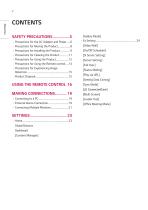
- Precautions for Experiencing Image Global Buttons Dashboard [Content Manager] [Gallery Mode] [Video Wall] [On/Off Scheduler] [SI Server Setting] [Server Setting] [Fail Over] [Status Mailing] [Setting Data Cloning] [Sync Mode] [LG ConnectedCare] [Multi Screen] [Leveler Tool] [Office Meeting Mode]
Open the catalog to page 2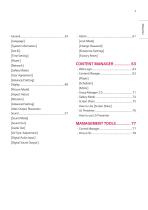
[Lock Mode] [System Information] [Change Password] [Enterprise Settings] [Time Setting] [Factory Reset]
Open the catalog to page 3
[Manual Calibration] To obtain the source code under GPL, LGPL, MPL, and other open source licenses, that is contained in this product, please visit https://opensource. lge.com. In addition to the source code, all referred license terms, warranty disclaimers and copyright notices are available for download. LG Electronics will also provide open source code to you on CD-ROM for a charge covering the cost of performing such distribution (such as the cost of media, shipping, and handling) upon email request to [email protected]. This offer is valid for a period of three years after our last shipment...
Open the catalog to page 4
The safety precautions are intended to prevent unexpected danger or harm by helping the user to use the product safely and for its intended purpose. WARNING If you ignore the warning message, you may be seriously injured or there is a possibility of accident or death. CAUTION If you ignore the caution message, you may be slightly injured or the product may be damaged. Model corresponding to sentence color COMMON SAFETY PRECAUTIONS
Open the catalog to page 5
Precautions for the AC Adapter and PowerA WARNING♦ Use only the power cord or AC adapter provided or approved by LG Electronics, Inc. If you use another power cord, make sure that it is certified by the national standards. \f the power cable \s faulty \n any way, please contact the manufacturer or the nearest authorized service center for a replacement. ♦ Operate the display only from a power source(i.e. voltage) indicated in the product specification. - Otherwise the product can be damaged, fire can occur or you may be electrocuted. \f you are not sure what type of power supply you have, consult...
Open the catalog to page 6
♦ If water or any foreign substance goes inside the product, disconnect the power cord immediately and contact the service center; - Otherwise, this may cause a fire or electric shock due to damage to the product; ♦ Keep the power cord or AC adapter away from any heating devices; - The cord coating may melt and cause fire or electric shock; ♦ Never disassemble, repair or modify the power cord or AC adapter; - This may cause a fire or electric shock; ♦ The main cutoff device is the power cord; Please make sure the product \s installed near the wall outlet and that it \s easily accessible; ♦ As...
Open the catalog to page 7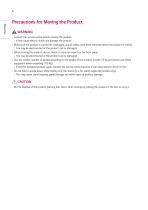
Precautions for Moving the ProductA WARNING ♦ Contact the service center before moving the product. - It may cause electric shock and damage the product. ♦ Make sure the product is turned off, unplugged, and al cables have been removed before the product \s moved. - You may be electrocuted or the product can be damaged. ♦ When moving the product, do not shock or cause an impact on the front panel. - You may be electrocuted or the product can be damaged. ♦ Use the correct number of people according to the weight of the product. (Under 25 Kg per person use lifting equipment when exceeding 100 Kg)...
Open the catalog to page 8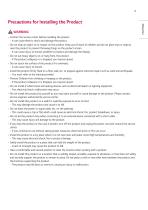
Precautions for Installing the Product A WARNING ♦ Contact the service center before installing the product. - It can cause electric shock and damage the product. ♦ Do not drop an object on or impact on the product. Keep out of reach of children and do not place toys or objects near the product to prevent throwing things on the product screen. - It can cause injury to human, problem to product and damage the display. ♦ Do not put heavy objects on, or hang from, the product. - If the product collapses or \s dropped, you may be injured. ♦ Do not touch the surface of the product \f it overheats....
Open the catalog to page 9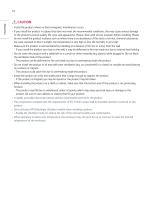
♦ Install the product where no Electromagnetic Interference occurs. ♦ If you install the product in a place that does not meet the recommended conditions, this may cause serious damage to the product's picture quality, life cycle, and appearance. Please check with service engineer before installing. Please do not install the product in places such as where there is an abundance of fine dust or oil mist, chemical substances are used, exposed to direct sunlight, the temperature is very high or low, the humidity is very high. ♦ Make sure the product is well ventilated by Installing at a distance...
Open the catalog to page 10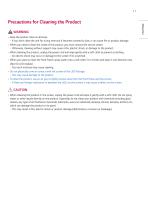
Precautions for Cleaning the ProductA WARNING ♦ Keep the product clean at all times. - If you don't clean the unit for a long time and it becomes covered \n dust, it can cause fire or product damage. ♦ When you need to clean the inside of the product, you must contact the service center. - Otherwise, cleaning without support may cause a fire, electric shock, or damage to the product. ♦ When cleaning the product, unplug the power cord and wipe gently with a soft cloth to prevent scratching. - An electric shock may occur or damage to the screen if its scratched. ♦ When you want to clean the front...
Open the catalog to page 11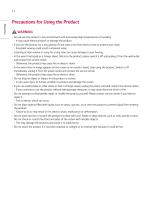
Precautions for Using the Product A WARNING ♦ Do not use the product in any environment With excessively high temperatures or humidity. - It may cause electrical shock or damage the product. ♦ If you use the product for a long period of time, take a rest from time to time to protect your vision. - Extended viewing could result in impaired vision. ♦ Listening at high volume or using for a long time can cause damage to your hearing. ♦ \n the event that liquid or a foreign object falls into the product, please switch it off and unplug it from the wall outlet and contact the service center. - Otherwise,...
Open the catalog to page 12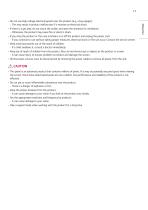
♦ Do not use high voltage electrical goods near the product (e.g., a bug zapper). - This may result in product malfunction \f it receives an electrical shock. ♦ If there is a gas leak, do not touch the outlet, and open the Windows for ventilation. - Otherwise, the product may cause fire or electric shock. ♦ If you drop the product or the case is broken, turn off the product and unplug the power cord. - If you continue to use without taking proper measures, electrical shock or fire can occur. Contact the service center; ♦ Keep small accessories out of the reach of children. - If a child swallows...
Open the catalog to page 13All Podium pros catalogs and technical brochures
 Aluminum Accessible Catalog
6 Pages
 LG UH5J-H Spec Sheet
6 Pages
Archived catalogs
 MultiSync® P
5 Pages
 usermanual
59 Pages