


Powerline Treatment Table

Powerline Treatment Table
1. Remove the table from the box and place it top down on the floor. Unfold the legs and remove protective wrappings.
2. Install Long Large Bolts, Washers, and Nuts on each leg using the provided wrenches. Ensure all bolts are tightened.
3. Install the barrel nut into the stretcher beam and secure with Short Bolts through the leg rail. Ensure the stretcher beam is flush with adjoining rails.
4. Turn the table upright and check for stability. Retighten bolts after two weeks due to natural wood shrinkage.
Shelf Installation:
If a shelf is ordered, place it with the finished side up. Stabilize with Velcro strips if necessary.
Backrest Operation:
To raise, lift the backrest to the desired height and release to lock. To lower, lift slightly, hold the support arm, and lower to the desired position.
Paper Roll Holder Installation:
Secure the paper roll holder bracket with screws and allen wrench. Insert the wooden dowel through the paper roll and secure it in the bracket.
Optional Accessories:
Attach the Table Extender by inserting aluminum dowels into outlet holes. Use the QuickLock™ Face Rest by inserting it into outlet holes and adjusting for client comfort.
Cleaning & Maintenance:
Use a mild non-alcohol cleaner for upholstery. Avoid extreme temperatures and direct sunlight. Polish wooden surfaces with approved polish.
Warnings:
Do not sit or lean on the Extender or Face Rest. Ensure the Face Rest dowels do not extend more than 3 inches from the table.
Catalog excerpts

Oakworks ® PowerLine™ & Seychelle™ TREATMENT TABLE ASSEMBLY & OPERATION INSTRUCTIONS Seychelle™ with Flat Top and Shelf Seychelle™ with Backrest Top and Shelf PowerLine™ with Flat Top PowerLine™ with Backrest Top PowerLine™ with Flat Top and Shelf PowerLine™ with Backrest Top and Shelf R Phone: 717.235.6807 www.oakworks.com
Open the catalog to page 1
Treatment Table H-Brace and Shelf SUPPLIED PARTS: LEG HARDWARE TOOLS 1 - Large Allen Wrench 1 - Small Allen Wrench 1 - Open End Wrench STRETCHER BEAM 8 -Flat Washers 4 -Disc Washers (dull finish) 4 - Long Large Bolts 4 - Lock Nuts 1 - Wood Stretcher Beam 2 - Short Bolts 2 - Barrel Nuts SHELF (OPTIONAL) 8 - Velcro® Strips for Shelf Stretcher Beam Removable Shelf Assembly Instructions 1. Remove the table from the box and place it down on the floor with the top down. Remove all hardware and the stretcher beam. 2. Unfold the legs to a vertical position and remove any protective wrappings. (Fig. 1)...
Open the catalog to page 2
PAPER ROLL HOLDER INSTALLATION The Paper Roll Holder comes standard with PowerLine™ Treatment Tables. paper roll holder bracket (2) allen wrench (1) Supplied Parts screws (2) wooden dowel (1) STEP 1 STEP 2 notch After the table is set-up, locate the hole in the leg. STEP 3 STEP 4 STEP 5 rounded edge Locate one paper roll holder bracket. Be sure the notch is at the top & rounded edge away from the table. Using the supplied screw & allen wrench, secure the paper roll holder bracket into place. Repeat steps 1 thru 3 on the other side. notch Locate the wooden dowel & feed it thru your paper roll....
Open the catalog to page 3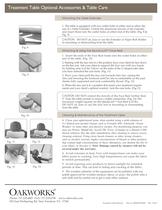
Treatment Table Optional Accessories & Table Care Attaching the Table Extender: 1. The table is equipped with two outlet holes at either end to allow the use of a Table Extender. Unfold the aluminum dowels of the extender and insert them into the outlet holes at either end of the table. (Fig. 8 & Fig. 9) CAUTION: DO NOT sit, lean or use the Extender or Paper Roll Holder in mounting or dismounting from the table. Fig. 8 Attaching & Using the QuickLock™ Face Rest: 1. Insert the ends of the Face Rest frame into the outlet holes at either end of the table. (Fig. 10) 2. Starting with the face rest...
Open the catalog to page 4All Oakworks catalogs and technical brochures
 PG Series & Ultrasound Series
40 Pages
 Clinician Adjustable
8 Pages
 Celesta® and Clodagh Gemini
28 Pages
 Antigua
28 Pages
 OAKWORKS
32 Pages
 PORTAL LIGHT
4 Pages
 New Performalift
7 Pages
 Clodagh Trolley
1 Page
 libra
libra2 Pages
 Masters
15 Pages
 Spa Catalog
44 Pages
 AURORA™
32 Pages
 PROLUXE™
32 Pages
 Symphony
1 Page
 EQUINOX
1 Page
 Trolley
8 Pages
 Physical Therapy
32 Pages
 Treatment Table
4 Pages
 Exam Tables
20 Pages
 Powerline
2 Pages
 Catalog:oak massage
24 Pages

Archived catalogs
 100 Series Procedure Chair
20 Pages
 Celesta/Clodagh Gemini
24 Pages
 Clodagh Leo
20 Pages
 ProLuxe Convertible
20 Pages
 Alliance Wood Massage
2 Pages
 Mattes Chair Flyer
1 Page
 Portal Light Owner
4 Pages
 Clodagh Libra
24 Pages
 One by OAKWORKS
2 Pages
 Portal Pro 3 Owners
4 Pages
 Nova Portable Massage
2 Pages
 Advanta
2 Pages


- Industrial massage table
- Commercial massage table
- Height-adjustable massage table
- Electric massage table
- Wooden massage table
- Massage table with storage compartment
- Warming massage table
- Foldable massage table
- Hydraulic massage table
- Massage chair
- Folding massage chair
- Metal massage chair
- Synthetic leather massage chair