
- Catalogs
- HDL Automation Co., Ltd
- HDL GraView Platform


- Company
- Products
- Catalogs
- News & Trends
- Exhibitions
HDL GraView Platform

HDL GraView Platform
Catalog excerpts

HDL GraView Platform GraView is a web-based building management platform designed by HDL specifically for public building projects. The interface is simple and avoids redundant learning and operation steps. It can centrally control various devices in different areas, optimize building performance, and improve management efficiency. Note: Some functions are not available in this version, please consult HDL sales manager for detail
Open the catalog to page 1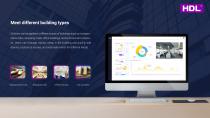
Meet different building types GraView can be applied to different types of buildings such as transportation hubs, shopping malls, office buildings, and commercial complexes. Users can manage various areas in the building and quickly add devices, customize scenes, and automate events for different needs. Shopping mall Office building City comple
Open the catalog to page 2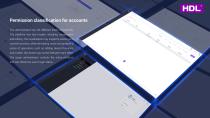
Permission classification for accounts The administrator can set different levels of authority. The platform has two modes, including visualization and editing. The visualization only supports viewing and control functions, while the editing mode can perform a series of operations such as adding device functions and modes. One button can switch between each other. The super administrator controls the entire platform and can obtain the user's login status.
Open the catalog to page 3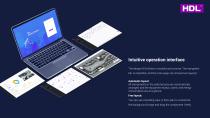
Intuitive operation interface The design of GraView is modular and concise. The navigation bar is classified, and the main page can choose two layouts: Automatic layout: All components in the selected area are automatically arranged, and the equipment status, scene, and energy consumption are at a glance; Free layout: You can use a building view or floor plan to customize the background image and drag the component freely.
Open the catalog to page 4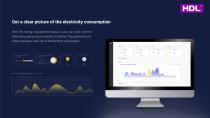
Get a clear picture of the electricity consumption With HDL energy management solution, users can view real-time electricity usage by area and facility on GraView. The graphical visualization provides a clear view of the electricity consumption. Comparison of real/planned consumption Real-time power Comparison of real/planned consumption Accumulated consumption of 65% this month Real-time power
Open the catalog to page 5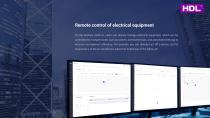
Remote control of electrical equipment On the GraView platform, users can directly manage electrical equipment, which can be controlled by multiple modes such as scenes, scheduled tasks, and automated settings to improve management efficiency. For example, you can directly turn off a device, set the temperature of the air conditioner, adjust the brightness of the lights, etc.
Open the catalog to page 6
Real-time monitoring, efficient operation and maintenance The platform displays the device's on, off, and fault status in real time, and can set device life reminders. When there are abnormal conditions such as device failure, disconnection, and control failure, it will simultaneously send alerts to the admin to reduce inefficiencies caused by information gaps. Automation event Equipment functions User management Scene mode Template library Group control mode
Open the catalog to page 7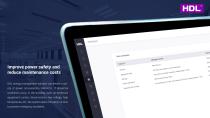
Improve power safety and reduce maintenance costs HDL energy management solution can detect a variety of power consumption indicators. If abnormal conditions occur in the building, such as excessive equipment current, disconnection, low voltage, high temperature, etc., the system alerts the admin in time to prevent emergency accidents.
Open the catalog to page 8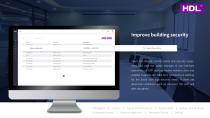
Improve building security Users can directly control safety and security equipment and view the status changes of non-interface operations on GVP, such as motion sensors, door and window magnets, etc. Real-time monitoring is working for the areas with high-security needs. If there are abnormal conditions such as intrusion, the GVP will alert the admin. Automation event Equipment functions User management Scene mode Template library Group control mode
Open the catalog to page 9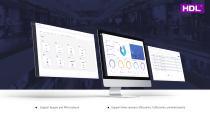
Support Buspro and KNX protocol Support three versions: 500 points, 1500 points, unlimited points
Open the catalog to page 10All HDL Automation Co., Ltd catalogs and technical brochures
 S10
S109 Pages
 Tile
Tile4 Pages
 Granite Display
9 Pages
 Blind Motor
4 Pages
 Curtain Motor
9 Pages
 KNX 17&19
2 Pages
 HDL Museum Project Reference
14 Pages
 HDL Demo Cases
16 Pages
 Tile Series Control Panel
64 Pages
 HDL Demo Cases-Control Panels
14 Pages
 HDL Eco Solutions
28 Pages
 HDL Lighting
36 Pages
 Tile Display
8 Pages
 HDL Intercom Solutions
28 Pages
 HDL Smart Lighting Solution
45 Pages
 Source 7
12 Pages
 INTELLIGENT CONTROL PANELS
16 Pages
 HDL Product Catalogue
83 Pages
 HDL SMART SOLUTIONS
56 Pages
 SMART HOTEL PROJECTS
48 Pages
 COMPANY PROFILE
9 Pages
 HDL Residential Solutions
34 Pages


