


- Products
- Catalogs
- News & Trends
- Exhibitions
SSW Room Availability Hallway Sign

SSW Room Availability Hallway Sign
- Visibility: Easily see available meeting rooms from a distance, with green illumination for available and red for occupied rooms.
- Customization: Options for custom engraving and RGB color capabilities to match company or team colors.
- Energy Efficiency: Consumes less than 2 watts, making it highly energy efficient.
- Installation: Simple out-of-the-box functionality with easy installation options.
The Room Availability Hallway Sign can be mounted on walls or ceilings outside meeting rooms. It is visible from up to 50 feet away and connects directly to Crestron TSW touch screens via a USB cable for immediate use without programming. Alternatively, it can connect to a Crestron control system for broader applications, such as open spaces or non-traditional workstations.
The signs can be paired with Crestron occupancy sensors to automatically change colors based on room occupancy. They can also be programmed to change colors or flash when time limits are exceeded, helping manage room usage effectively. The Crestron Fusion® system can collect usage data and generate reports.
The signs can be custom engraved with room names and offer customizable RGB capabilities, including brightness adjustments and color fading.
The LED module installs flush with the wall using a single gang box or p-ring, connecting via Cresnet or USB cable. The acrylic face attaches with screws, and the designer molding secures with magnets.
For more details, including specifications, photos, pricing, and accessories, visit crestron.com/SSW.
Catalog excerpts

Room Availability Hallway Sign Key features and benefits • See free meeting rooms from down the hallway • Illuminates green for available, red for occupied • Custom engravable • Highly energy efficient • Out of the box functionality • Customizable RGB capabilities With the Room Availability Hallway Sign, office workers simply take a quick glance down the hallway. Wall or ceiling mounted outside meeting rooms, the SSW (wall) or SSC (ceiling) LED light illuminates bright green to indicate an available room, and red to indicate an occupied room. The SSW and SSC are perfectly visible from up to 50 feet away and yet highly energy efficient, utilizing less than 2 watts.
Open the catalog to page 1
Directly connect to Crestron TSW touch screens Directly connect the SSW or SSC to a Crestron TSW x60 Series touch screen via the included 15’ USB cable for a programming-free solution with instant out of the box functionality. Connect to Crestron control system Alternatively, connect the signs to a control system without a touch screen – perfect for open spaces or non-traditional applications, such as phone booths, free form spaces, and hoteling workstations. Pair the SSW or SSC with a Crestron occupancy sensor, so when someone enters the space, the light changes from green to red. Program the...
Open the catalog to page 2All CRESTRON catalogs and technical brochures
 CLX-2DIMFLV8-277
3 Pages
 TSW-1070
9 Pages
 C2N-VEQ4
4 Pages
 RMK-AMP-X
7 Pages
 AMP-X50MP
4 Pages
 AMP-PNMK
2 Pages
 AM-3200
6 Pages
 HD-PS402
7 Pages
 HD-PS401
7 Pages
 HD-PS622
7 Pages
 HD-PS621
7 Pages
 TSW‑570
7 Pages
 TSW‑570P
8 Pages
 TSW-770
9 Pages
 DM-NVX-E760C
5 Pages
 TSW-1070R
6 Pages
 DM-RMC-4KZ-100-C
5 Pages
 GLPPA-REMOTE-USER
2 Pages
 HR-310
3 Pages
 TSR-310
5 Pages
 MC4-R
MC4-R5 Pages
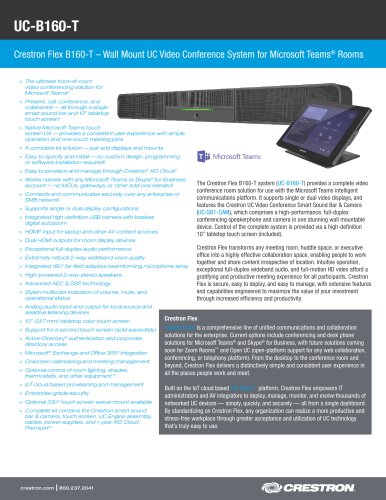 UC-B160-T
6 Pages
 HZ-KPCN Series
4 Pages
 DGE-100
6 Pages
 UC-SB1-HUDDLE
5 Pages
 CEN-CI3-1
3 Pages
 mp-amp30_1
3 Pages
 MP-AMP30
16 Pages
 cen-ups1250_1
40 Pages
 Best_Light
4 Pages
 UW-Madison School of Nursing
5 Pages
 AMP-3210T
4 Pages
 AMP-8150
4 Pages
 DMPS3-4K-200-C
2 Pages
 DMPS3-4K
1 Page
 DM Overview Brochure
13 Pages
 Home Technology Brochure
32 Pages
 Courtroom Solutions
32 Pages
 Crestron Mercury Brochure
16 Pages
 DM Overview Brochure: Residentia
20 Pages
 Avia™ Audio Solutions Brochure
12 Pages
 Crestron Mercury Brochure
16 Pages
 Crestron Fusion® (Doc ID #2016)
24 Pages
 CEDIA 2015 New Products
4 Pages
 DMPS3-4K
2 Pages
 HD-MD-400-C-E
2 Pages
 2015 Product Brochure
166 Pages
 Corporate Brochure
28 Pages
 2013 Product Brochure
134 Pages


Archived catalogs
 Crestron Shading Solutions
34 Pages
 Featured Products - CEDIA 2012
78 Pages
 Creston Touchpanels
24 Pages
 Prodigy® Home Automation
12 Pages
 Featured products - Infocomm 2012
102 Pages
 ADAGIO BROCHURE 2009
16 Pages
 Complete Crestron Catalogue 2007
752 Pages
 Product Overview
56 Pages
 Adagio
8 Pages
 Every Room Connected
32 Pages
 Lighting Brochure
24 Pages
 iLux
iLux14 Pages


- Ventilation controller
- Wall-mounted ventilation controller
- Amplifier
- Audio amplifier
- CRESTRON wall-mounted touch screen
- Home automation system control keypad
- CRESTRON home automation system touch screen
- CRESTRON indoor touch screen
- Receiver
- Lighting control keypad
- Single function sensor
- CRESTRON digital display touch screen
- Home automation system control unit
- CRESTRON indoor home automation system
- CRESTRON home home automation system
- Central control unit
- Multimedia equipment control keypad
- Countertop touch screen
- Lighting control unit