


- Products
- Catalogs
- News & Trends
- Exhibitions
Telephone system technical guide

Telephone system technical guide
The document outlines a comprehensive solution integrating telephone systems, video door entry systems, and home automation using the BTicino system. It emphasizes seamless management of calls, home automation, and video entry functions through a single platform, highlighting scalability and integration with the Iryde Touch Phone and PABX switchboard.
The system is versatile, suitable for both home and small service sectors. It supports intercommunication, remote home automation activations, and transferring door entry calls to mobile devices. The PABX switchboard can create separate partitions for home and office use, ensuring independent operation while allowing intercommunication.
The Iryde Touch Phone can function independently or as part of a larger system, integrating with the MY HOME system for advanced functionalities. It supports up to 24 Iryde Touch Phones, offering advanced telephone, video door entry, and home automation functions.
The Iryde Touch Phone integrates video door entry and telephone functions, featuring a touch screen, LCD display, and customizable interface. It supports various functions including video door entry, telephone operations, automation, temperature control, sound system management, and burglar alarm monitoring.
The PABX switchboard facilitates intercommunication, video monitoring, and remote activation. It supports up to 8 extensions and can be expanded with accessories. Key functions include call transfer, door lock release, and integration with the MY HOME system for automation commands.
The document includes detailed technical sheets for the Iryde Touch Phone and PABX switchboard, along with general installation rules, configuration guidelines, and wiring diagrams. The system is designed for compatibility with various devices and offers emergency operation features in case of power supply cuts.
- Call Management: The system allows for simultaneous ringing of extensions and automatic dialing of a pre-set number if the PSTN line is free. Calls can be answered by extensions or handsets, and if unanswered, the PABX takes over to allow remote call acceptance or refusal.
- Door Lock and DISA Services: Remote users can release door locks using specific codes and initiate conversations with PABX extensions through a voice menu.
- Caller ID and Intercommunication: Caller ID is available for all extensions, and intercommunication is supported between extensions and apartments, with specific codes for different types of calls.
- Remote Activation and Customization: The MY HOME service allows remote activation of scenarios, lights, and other functions via PSTN calls, with customizable messages and password-protected access.
- System Design: The system is classified as SELV, requiring adherence to installation rules for safety. It supports both one-family and multi-family configurations, with specific guidelines for connecting ITP devices and ensuring system protection.
- Power Supply and Protection: The document outlines the need for additional power supplies and protection devices to safeguard against overvoltage and ensure continuous operation.
- The catalog lists various components such as RJ11 and RJ12 connectors, telephone actuators, power supplies, and accessories for system expansion.
- Specific items like the Iryde Touch Phone and PABX switchboard are highlighted, with details on their dimensions and installation options.
- BTicino offers design and estimate preparation software, YouDiagram, for system planning and configuration.
- Support services include personalized estimates, technical documentation, and installation consultancy.
The document provides detailed instructions for installing telephone systems, particularly focusing on PSTN and ADSL lines. It emphasizes the need for filters or splitters to separate data from telephone signals in ADSL systems and outlines the connection requirements for PSTN and ISDN lines. The document also specifies the maximum cable distances for connecting telephone terminals and recommends using dedicated corrugated tubes to avoid crosstalk.
In case of a power outage, only extensions 1 and 2 can operate on the PSTN lines. Backup power supplies are recommended for the PABX switchboard and ITPs.
The system supports intercommunication between ACBs and ITPs, calls on the PSTN line, and interaction with video door entry systems. It also allows for door lock activation, staircase light control, call transfer, and call hold functions.
Installation of a video system requires a video adapter or an audio/video node. The document details the connection limits and configurations for entrance panels and handsets, recommending the use of an audio/video node for systems with more than two entrance panels or risers.
Expansion modules are available for extending system capabilities, with specific configurations for different modes. The document advises on the layout and positioning of electric distribution boards, emphasizing the need for centralization and future expansion considerations.
The document specifies the use of the 336904 BUS SCS cable for video door entry, sound, and telephone systems, highlighting its installation requirements and compatibility with other cables.
It stresses the importance of a well-planned installation setup, including the layout of conduits and wiring types, to ensure system efficiency and future scalability.
- Main Distribution Board: Install in an equipment room or under stairs. Additional boards should be on each floor in a central position.
- Conduit Selection: Use protective conduits made of insulating material for cables inside homes. In garages and cellars, conduits and boxes should be exposed due to embedding difficulties.
- CEI 306-2 Standards: Plan conduits to accommodate future advanced wiring systems.
- Entrance Panel Height: Install pushbutton panels at 160-165 cm. Adjust camera installation to avoid direct light and improve contrast.
- Handset Height: Position video handsets at 160-165 cm.
- Interfaces Installation: Use a sealed electric cabin with DIN rail for interfaces 346850 and 346851.
- Iryde Touch Phone: Wall-mounted installation requires a metal base. Tabletop installation requires a specific base and connections for BUS cable, PSTN line, and optional power supply.
- Distances vary based on cable type and system configuration, with specific limits for video door entry and telephone systems.
- Details on the maximum number of Iryde Touch Phones for different system configurations, both with and without PABX.
- Iryde Touch Phone: Offers basic and PC-based configurations for customization and integration with home automation systems.
- PABX Programming: Requires PC and specific software for configuration.
- Includes diagrams for various system setups, such as one-family systems with and without PABX, and multi-family systems.
The system allows users to create, change, select, and call contacts. Users can customize contacts by associating photos and manage up to three numbers per contact.
Users can make calls using the PSTN line with touch tone mode (DTMF) and access the private address book. The system supports paging, answering incoming calls, and differentiated call alerts for various call types. Caller ID service displays the caller's number or name and photo if available. Extensions can communicate with each other, and general calls can be made to all extensions.
The system supports automatic redial, call hold, and answering a second call. Calls can be transferred without consent in case of a free tone, and door entry system calls can be transferred. DISA service allows selection of the handset from the outside line, and different scenarios can be set for day, lunchtime, and night.
The PABX switchboard integrates with the BTicino video door entry system, allowing intercommunication, video monitoring, and remote activation. It manages two telephone lines, up to 8 extensions, and multiple video door entry systems. Expansion accessories are available for additional extensions and outside lines. The switchboard complies with various certifications and standards.
The PABX switchboard is programmed using a PC and TiPABX software. Factory configuration includes 8 general extensions enabled for calls on two outside lines and door entry system functions.
Extensions can be enabled or disabled for door lock release and staircase light activation. Calls from entrance panels can be managed, and intercommunicating calls can be made between extensions and apartments within the 2-wire system.
The system allows users to make handsfree announcements through all handsets and sound system accessories. Activation is done by pressing the # key from any extension. Conversations can be initiated from any system extension, and the service ends by disconnecting.
The system handles calls from the 2 wire bus with customizable addresses using the TiPABAX configuration program.
- Encapsulation of the Extension: Extensions causing system slowdowns are disconnected and receive a time-out tone.
- Extension Selection Mode: The PABX detects multi-frequency selection mode notifications but not dedicated mode notifications.
- Classification of Extensions: Extensions can be enabled or disabled for certain services and calls. By default, all extensions are enabled for all services.
- Extension Call: Extensions can communicate with each other using a keypad.
- General Call of All Extensions: An extension can call all other extensions simultaneously.
- Differentiated Call: Users can identify incoming call types by associating different ringtones.
- MY HOME Remote Activation Service: Allows remote users to send commands via PSTN telephone line calls to the PABX, with a voice menu for command execution.
- The PABX switchboard must be installed near the system power supply and has specific installation requirements for video termination and AV-OUT SCS outputs.
- Power specifications include standby and conversation current requirements.
- Accessory for 2 Outside Lines: Allows connection of two additional lines to the PABX, with specific installation and power supply requirements.
- Accessory for 8 Additional Extensions: Allows connection of up to 16 additional extensions, with specific installation and power supply requirements.
Detailed diagrams are provided for system setup and accessory connections.
Catalog excerpts

TELEPHONE SYSTEM TELEPHONE SYSTEM, VIDEO DOOR ENTRY SYSTEM AND HOME AUTOMATION IN ONE SOLUTION
Open the catalog to page 1
Contents 4-17 General features An integrated solution The applications in the home sector The applications in the small service sector A scalable solution Iryde Touch Phone PABX switchboard One-family system without PABX One-family system without PABX and mixed wiring (In-Out = Star) One-family system with PABX One-family system with PABX and cameras Home/office system with PABX Multi-family system with camera without PABX Multi-family system with camera and PABX System for connection between the Iryde Touch Phone and the power supply with back-up battery System for the connection of the PABX...
Open the catalog to page 3
GENERAL FEATURES Telephone system, video door entry home automation Making a telephone call, managing the home automation and the video door entry system of the home, the shop, or the office, today is possible with one single solution, thanks to the new BTicino telephone system. PBAX telephone switchboard, the installation of the new Iryde Touch Phone telephone system, which can be perfectly integrated with the BTicino 2 wire video door entry system, ensures at all times the possibility of expanding the system, adding advanced home automation and telephone functions. Therefore, distinguishing...
Open the catalog to page 4
i Display of the number of the caller intercom calls (CID service). i General call for all the extensions. i Pager service, broadcasting handsfree I iSelection of the handset from the PSTN telephone line using the voice menu (DISA service). i Typical functions of the PABX ■ VIDEO DOOR ENTRY SYSTEM i Transfer of door entry system call to the telephone line or mobile device (DOSA service). i Remote door lock release. i Unlimited intercommunication within i Answer of door entry system calls i Remote management with voice guide. i Management from cordless devices (door lock release, and answering...
Open the catalog to page 5
IRYDETOUCH PHONE inthehome sector It is possible to establish calls among several devices installed in the same home. The PABX switchboard can also be programmed for operation with two partitions, for example to separate the services towards a private home from those towards, for example, an office part of the same dwellings. When used as intercom, it is also possible to display the caller number,
Open the catalog to page 6
Cordless Mobile phone 2 MY HOME FUNCTIONS In a MY HOME automation system, Iryde Touch Phone can be used to: send home automation scenario management commands manage the sound system sources display the burglar alarm system alarm log manage the temperature control system 3 Transferring door entry system calls (DOSA function) Calls from the entrance panel can be transferred to a fixed or mobile telephone number, previously saved as speed number in the address book of the PABX telephone switchboard. This means that one can always be available. 4 Remote home automation system activations Using the...
Open the catalog to page 7
Iryde touch Phone, TABLE TOP INSTALLATION small service sector
Open the catalog to page 8
ENTRANCE PANEL Iryde Touch Phone, wall mounted installation The PABX switchboard gives the possibility of creating two partitions, to separate the calls to the private home (partition 2) from those to the office (partition 1). The two partitions are independent as far as video door entry system calls, services, and telephone calls are concerned, but their internal extensions intercommunicate with each other. Among the main functions and services are: DISA with voice guide CID, both for intercommunication, and the PSTN telephone line (to display: office name, hotel room, warehouse, etc.) FAX-SWITCH...
Open the catalog to page 9
scalable solution Iryde Touch Phone can be installed Stand-alone, and used in a telephone or video door entry system, as a telephone and/or handset. If installed as part of a telephone, video door entry, or home automation system, it can be integrated with the MY HOME system. Lastly, in systems also including the new PABX switchboard, it can also perform advanced telephone and video door entry system functions. Basic solution Iryde Touch Phone ENTRANCE PANEL Video door entry system functions Iryde Touch Phone Video door entry system functions Telephone functions(1) Note (1): check with the telephone...
Open the catalog to page 10
Advanced solution Iryde Touch Phone ENTRANCE PANEL Video door entry system functions Telephone functions(1) Home Automation functions Interfacing with the MY HOME system Iryde Touch Phone ENTRANCE PANEL Video door entry system functions ADVANCED Telephone Functions ADVANCED (up to 24 ITP) Home Automation functions Interfacing with the MY HOME system TELEPHONE SYSTEM www.bticino.com GENERAL FEATURES
Open the catalog to page 11
TOUCH PHONE MAIN FEATURES Iryde Touch Phone is a device that gives the possibility of integrating the video door entry system functions be mounted on the wall, using the appropriate metal bracket, or on a table-top base. It features a Touch Screen with 4.3" LCD colour display, backlit keypad and navigation menu, which can be customised using a PC, forthe management of the following ■ Video door entry system TOUCHSCREEN Microphone LCD colour display (handsfree) Keypad with video door entry system
Open the catalog to page 12
MAIN FUNCTIONS: TELEPHONE FUNCTIONS ■ Address book with contact customisation (photo Identification of extension caller i Customisable melodic bells i Call log: missed, received, made i Handsfree enabling and disabling i Call forwarding and repetition VIDEO DOOR ENTRY SYSTEM ■ Entrance panel switching on ■ Staircase light switching on ■ Door lock release VIDEO DOOR ENTRY SYSTEM T=-J sound system sources ■ Temperature control central unit ■ My Home scenario management Video door entry system Temperature control Sound system
Open the catalog to page 13
PABX Switchboard Main features The use of the telephone switchboard in a door/video door entry and telephone system also provides intercommunication among all the telephones installed, video monitoring system functions, and remote activation: it is possible to send commands to the My Home system using Iryde Touch Phone (if non Iryde Touch Phone extensions are used, it will only be possible to send to the My Home system the commands for the activation of the door lock of the main Entrance Panel, or the switching on of the lights), or by making a simple call from the PSTN telephone line using the...
Open the catalog to page 14All Bticino catalogs and technical brochures
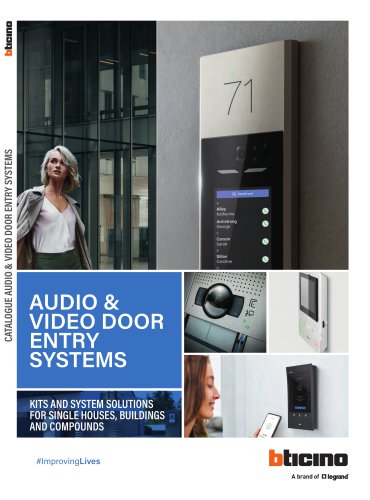 AUDIO & VIDEO DOOR ENTRY SYSTEMS
152 Pages
 Energy Data Logger
1 Page
 D45 System
7 Pages
 LINEA 100
2 Pages
 LINEA 300
2 Pages
 SOLIDA
12 Pages
 XCP
XCP108 Pages
 LIVING NOW
134 Pages
 Classe 100
32 Pages
 364232
2 Pages
 BUSBAR SYSTEM
166 Pages
 HOMETOUCH
8 Pages
 Hotel Room Management
16 Pages
 MEGASWITCH Disconnectors
6 Pages
 CLASSE 300
32 Pages
 AXIAL SWITCH
4 Pages
 New TV SOCKETS
8 Pages
 MÀTIX
MÀTIX40 Pages
 AIR
AIR28 Pages
 CES_2015_ZIGBEE_gb
2 Pages
 D45_brochure_GB
28 Pages
 GENERAL CATALOGUE
202 Pages
 video door entry sYstem offer
72 Pages
 Livinglight - Catalogue 2014
156 Pages
 My HOME FLATWALL
44 Pages
 Màtix - Catalogue 2014
82 Pages
 Axolute - Catalogue 2014
156 Pages
 My home complete guide
1152 Pages
 Easy and flexible solutions
32 Pages
 D 45 technical guide
156 Pages
 D45 catalogue
14 Pages
 New audio solution
8 Pages
 Transcoding
4 Pages
 Sfera catalogue
16 Pages
 Classe 100 Catalogue
4 Pages


- Light fixture
- Industrial LED light
- Metal light fixture
- Commercial light fixture
- Contemporary light fixture
- Linear light fixture
- White light fixture
- Surface-mounted light fixture
- IP20 light fixture
- Plastic light fixture
- Single light fixture
- Home light fixture
- Black light fixture
- Contemporary switch
- Recessed switch
- Industrial socket
- Square switch
- Contemporary socket
- Industrial plug socket