
- Catalogs
- BENTLEY SYSTEMS
- Bentley ® Data Manager

Bentley ® Data Manager
Bentley ® Data Manager
- Integrated Database: Supports multidisciplinary and cross-application design with seamless data flow and instant updates, eliminating the need for manual import/export routines.
- Customizable Views and Reports: Offers pre-defined data entry views and reports that can be customized or created from scratch using Microsoft Access. Supports SQL Server Express, SQL Server, and ORACLE.
- Data Manipulation Tools: Provides right-click options for sorting, filtering, finding, and replacing data. Supports import/export of data in various formats (MDB, XLS(X), TXT, DBF) and ODBC data sources.
- User Access Control: Access is restricted via user access levels defined in Bentley Project Administrator, ensuring data integrity and security.
- Datasheets and Hookups: Integrates with Bentley Datasheets and Hookups modules, allowing dynamic creation of datasheets and management of instrument installation details using Microsoft Excel.
- Processor: Intel Core i7, Intel Xeon, AMD Phenom II, or AMD Operton.
- Operating System: Microsoft Windows 7 (32 or 64 bit) Enterprise or Ultimate Edition.
- Memory: 4GB for 32-bit Windows 7, 8GB minimum for 64-bit Windows 7.
- Disk Space: 2GB available.
- Software: Microsoft Office 2010 Professional, Microsoft SQL Server 2008 R2 Enterprise Edition.
Catalog excerpts

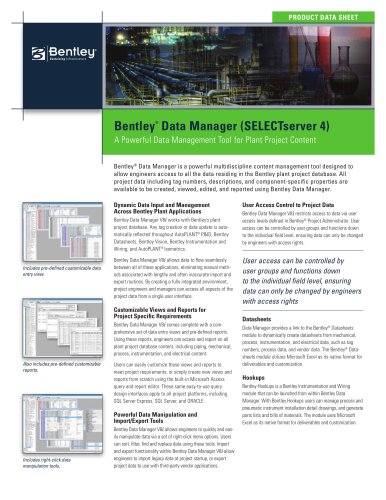
PRODUCT DATA SHEET Bentley Data Manager (SELECTserver 4) ® A Powerful Data Management Tool for Plant Project Content Bentley® Data Manager is a powerful multidiscipline content management tool designed to allow engineers access to all the data residing in the Bentley plant project database. All project data including tag numbers, descriptions, and component-specific properties are available to be created, viewed, edited, and reported using Bentley Data Manager. Dynamic Data Input and Management Across Bentley Plant Applications Bentley Data Manager V8i works with Bentley’s plant project database. Any tag creation or data update is automatically reflected throughout AutoPLANT® P&ID, Bentley Datasheets, Bentley Vision, Bentley Instrumentation and Wiring, and AutoPLANT® Isometrics. Includes pre-defined customizable data entry view. Bentley Data Manager V8i allows data to flow seamlessly between all of these applications, eliminating manual methods associated with lengthy and often inaccurate import and export routines. By creating a fully integrated environment, project engineers and managers can access all aspects of the project data from a single user interface. Customizable Views and Reports for Project Specific Requirements Bentley Data Manager V8i comes complete with a comprehensive set of data entry views and pre-defined reports. Using these reports, engineers can access and report on all plant project database content, including piping, mechanical, process, instrumentation, and electrical content. Also includes pre-defined customizable reports. Users can easily customize these views and reports to meet project requirements, or simply create new views and reports from scratch using the built-in Microsoft Access query and report editor. These same easy-to-use query design interfaces apply to all project platforms, including SQL Server Express, SQL Server, and ORACLE. Powerful Data Manipulation and Import/Export Tools Includes right-click data manipulation tools. Bentley Data Manager V8i allows engineers to quickly and easily manipulate data via a set of right-click menu options. Users can sort, filter, find and replace data using these tools. Import and export functionality within Bentley Data Manager V8i allow engineers to import legacy data at project startup, or export project data to use with third-party vendor applications. User Access Control to Project Data Bentley Data Manager V8i restricts access to data via user access levels defined in Bentley® Project Administrator. User access can be controlled by user groups and functions down to the individual field level, ensuring data can only be changed by engineers with access rights. User access can be controlled by user groups and functions down to the individual field level, ensuring data can only be changed by engineers with access rights Datasheets Data Manager provides a link to the Bentley® Datasheets module to dynamically create datasheets from mechanical, process, instrumentation, and electrical data, such as tag numbers, process data, and vendor data. The Bentley® Datasheets module utilizes Microsoft Excel as its native format for deliverables and customization. Hookups Bentley Hookups is a Bentley Instrumentation and Wiring module that can be launched from within Bentley Data Manager. With Bentley Hookups users can manage process and pneumatic instrument installation detail drawings, and generate parts lists and bills of materials. The module uses Microsoft Excel as its native format for deliverables and customization.
Open the catalog to page 1
System Requirements Intel Core i7, Intel Xeon , AMD Operating System: Enterprise or Ultimate Edition Disk Space: • Microsoft Office 2010 Professional Enterprise Edition Bentley Data Manager At-A-Glance Find out about Bentley Contact Bentley Global Office Listings ^-^^kW Sustaining Infrastructure Integrated database • Plant project database shared by multiple Bentley applications to support multidisciplinary and cross- application design. • Data flows seamlessly between functional and physical design • Project data fully accessible, and can be use across all project disciplines • Data consistency...
Open the catalog to page 2All BENTLEY SYSTEMS catalogs and technical brochures
 GenerativeComponents®
2 Pages
 AECOsim Building Designer
8 Pages
 InspectTech
2 Pages
 Product Family Brochure
4 Pages
 Bentley Facilities V8i
2 Pages
 Bentley Data Manager V8i
2 Pages
 Bentley Copper V8i
2 Pages
 Bentley MXROAD V8i
2 Pages
 Bentley AutoPIPE Vessel V8i
2 Pages
 Bentley AutoPIPE V8i
2 Pages
 Bentley AutoPIPE Nozzle
2 Pages
 AutoPLANT Isometrics V8i
2 Pages
 Bentley Descartes V8i
2 Pages
 Bentley AXSYS.Process
2 Pages
 AutoPLANT ® Piping V8 i
2 Pages
 AutoPLANT ® Isometrics V8 i
2 Pages
 ProjectWise Fact Sheet
2 Pages
 ProjectWise 2011
8 Pages
 New in V8i (SELECTseries 3)
77 Pages
 MicroStation Brochure
8 Pages
 Power rail track
4 Pages
 LarS Bridge ?
2 Pages





Archived catalogs
 STAAD.Pro
2 Pages
 Bentley Microstation
2 Pages
 Bentley PowerDraft
2 Pages
 Bentley ARCHITECTURE
2 Pages
- Design software
- 3D software
- Industrial management software
- Analysis software
- Concrete structure software
- Steel structure software
- 2D software
- Industrial calculation software
- Industrial monitoring software
- Architecture software
- Smartphone software
- Modeling software
- Building automation system software
- Drawing software
- Wooden structure software
- Real-time software
- Autocad software
- Electrical installation software
- Construction management software
- Building software